Orders, stock, refunds and the webhook details that catch teams out
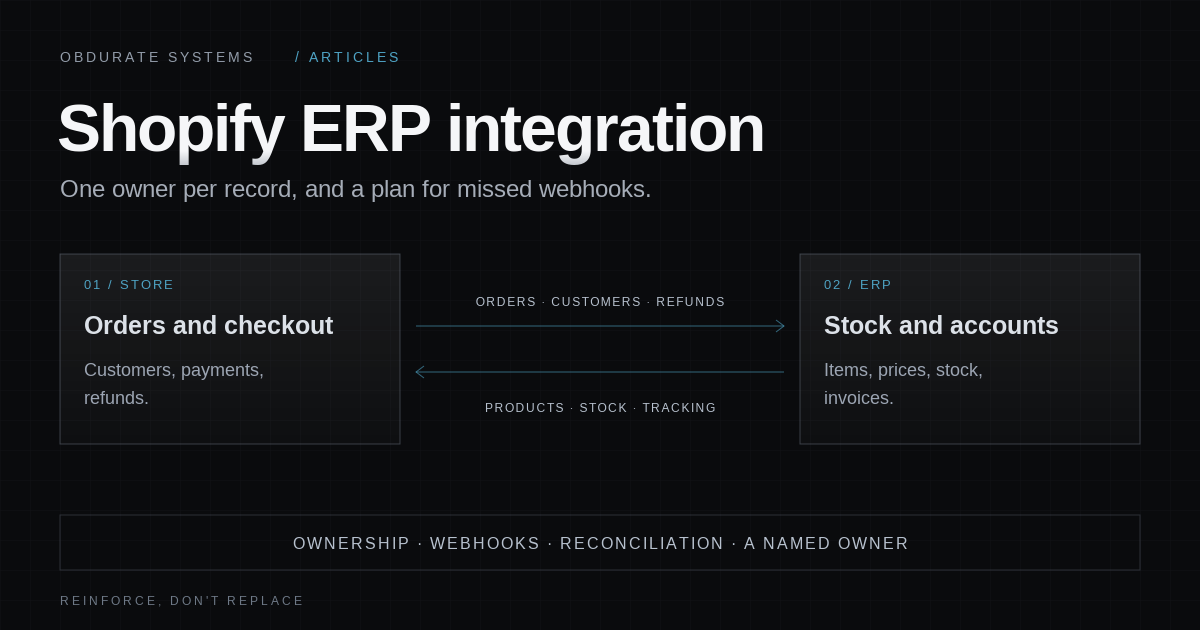
Shopify ERP integration links the store where customers order with the system that holds your stock, prices and accounts. The aim is simple: orders reach the ERP without re-keying, stock on the store stays honest, and tracking numbers flow back to customers. Most of the work is deciding which system owns each record, and what happens when something goes wrong.
This guide follows one order from checkout to shipment and return. It covers what to sync, the usual ways to connect Shopify to an ERP, the webhook behaviour that catches teams out, and ten tests to run before launch. The order is illustrative. The Shopify behaviour described comes from Shopify’s developer documentation, linked at the end.
In most setups the ERP is the master for products, costs, stock and accounting, while Shopify is the master for the online order, the checkout details and the payment. Prices can go either way: some teams set them in the ERP and publish them to Shopify, others run promotions in Shopify. Pick one owner per field and write it down, because it decides which way every update flows and which system wins when they disagree.
Scroll sideways to see all columns.
| Record and direction | What moves | What to agree |
|---|---|---|
| Products: ERP to Shopify | SKUs, variants, weights and prices, sometimes titles and descriptions. | Which fields the ERP overwrites and which the ecommerce team edits in Shopify. |
| Inventory: ERP to Shopify | Available quantity for each Shopify location. | How often it updates, whether to hold back a buffer, and what the store does at zero. |
| Orders: Shopify to ERP | Lines, discounts, shipping, taxes, payment status and the customer. | When an order is created in the ERP: at payment, after a fraud check or after review. |
| Customers: Shopify to ERP | New customers and addresses; for B2B, companies and their locations. | How a returning customer is matched instead of created again. |
| Fulfillments: ERP to Shopify | Shipped lines, carrier and tracking number. | Partial shipments, and what triggers the customer's shipping email. |
| Refunds: Shopify to ERP | Refunded amounts, returned items and reasons. | Whether a refund creates a credit note directly or waits for approval. |
| Payouts: Shopify to ERP | Payment provider payouts and fees. | How finance reconciles each payout against the orders it covers. |
A customer orders two jackets and a scarf, uses a 10% discount code and pays by card. Shopify sends an order webhook. The integration matches each SKU to an ERP item, maps the discount, shipping charge and tax, and creates a sales order. If the scarf’s SKU does not exist in the ERP, the order should wait for review with that line named, not be created with a guessed product.
The warehouse ships the jackets first. The integration creates a fulfillment in Shopify with the tracking number, so the customer can be told the parcel is on its way. The scarf ships two days later as a second fulfillment with its own tracking number.
A week later the customer returns the scarf and is refunded in Shopify. The ERP now needs a credit note, the scarf back in stock if it can be sold again, and a match against the next payout, which will be smaller. If any of those steps happens by hand, write down who does it.
Ready-made connector. Many ERPs have a Shopify connector, either built in or from an app marketplace. Microsoft Dynamics 365 Business Central, for example, includes a Shopify Connector that synchronises items, prices, inventory, customers, companies and orders. Check which records your connector moves, how often, and how it reports errors, then run your own orders through it before deciding.
Integration platform. An integration platform (iPaaS) helps when Shopify, the ERP, a warehouse system and a marketplace all exchange data. Your team still owns the mappings and needs to watch for failed runs and usage costs.
Custom API integration. Worth it when you can name a specific gap: a B2B pricing rule, a bundle that becomes separate components in the ERP, an approval step, or an ERP with no usable connector. A small custom service next to a connector often covers the gap without rebuilding everything. Our guide to native connectors versus custom APIs works through that decision step by step.
Shopify tells an integration about new orders, changes and refunds through webhooks. Three details from Shopify’s documentation shape the design.
First, the endpoint has to respond within five seconds or the delivery counts as failed. Accept the webhook, store it, and do the ERP work from a queue.
Second, Shopify retries a failed delivery eight times over four hours. If the failures continue, a subscription created through the Admin API is deleted, and orders stop arriving until someone notices.
Third, the same webhook can arrive more than once, for example after a timeout. Process it so that a repeat changes nothing, or use the X-Shopify-Webhook-Id header to skip deliveries you have already handled. Verify the HMAC signature so you only act on deliveries that really came from Shopify.
Shopify’s documentation also describes a reconciliation job that periodically fetches anything you might have missed. In practice, list recent Shopify orders every hour or night and check that each one exists in the ERP. That single job turns a silent failure into a short list someone can fix. API calls are rate-limited too, so bulk updates, such as stock for thousands of SKUs, need batching and back-off rather than one call per item.
Overselling is the most visible failure. If the ERP updates Shopify once an hour, the store can sell stock that left through another channel 50 minutes ago. Shorten the interval for fast-moving items, send changes when stock moves where the ERP allows it, or hold back a small buffer per SKU. Also check, product by product, whether Shopify is set to keep selling when stock reaches zero.
Decide which quantity you publish: on hand, available after allocations, or available minus a safety margin. If you sell from several warehouses, map each Shopify location to the ERP location it represents.
Run these in a development store and an ERP test environment, with the people who handle orders, stock and month-end. Agree the expected result first.
Scroll sideways to see all columns.
| Test case | Try this | What a safe result looks like |
|---|---|---|
| Normal order | Place an order with valid SKUs, a discount code and shipping. | One ERP sales order with matching lines, discount, shipping and tax totals. |
| Unknown SKU | Order a product that does not exist in the ERP. | The order waits for review with the SKU named. Nothing is created with a substitute item. |
| Duplicate webhook | Deliver the same order webhook twice. | The ERP ends up with one order. |
| Endpoint down | Take the integration offline for an hour, then restore it. | Missed orders are recovered by retries or the reconciliation job, without loss or duplicates. |
| Order edit | Change a quantity or address after the order is placed. | The ERP order updates under the agreed rule, or the change goes to review before picking. |
| Cancellation | Cancel an order before it ships. | The ERP order is cancelled and its stock is released. |
| Partial shipment | Ship one line now and the rest later. | Two fulfillments in Shopify, each with the right tracking number. |
| Refund and return | Refund one returned item. | A credit note or the agreed review in the ERP, with stock returned only if it can be sold again. |
| Last unit | Sell the last unit through another channel. | Shopify stops selling it within the agreed interval, or the buffer covers the gap. |
| Returning customer | Order again with the same email and a new address. | The ERP matches the existing customer and adds the address instead of creating a duplicate. |
Note what actually happened in each test, any manual step, and the order numbers that let someone find the record in both systems. Mark anything you have not tested as unverified.
- 01Which system owns products, prices and stock?If Shopify and the ERP both edit the same field, decide which one wins before choosing a tool.
- 02When should an order reach the ERP?At payment, after a fraud check or after review. Each choice changes what the warehouse sees and when.
- 03What does the connector actually support?Ask for the list of synchronised records and the sync frequency, then test them with your own orders, refunds and partial shipments.
- 04Who notices when orders stop arriving?Name the person who watches failed webhooks and the reconciliation report, and the person who fixes the cause.
If some orders also arrive by email or PDF, our sales order processing automation guide covers the review steps for those. Once orders reach a warehouse, our WMS ERP integration guide follows them through picking and shipment. For help with a Shopify integration, our ERP integration services and API integration services pages explain what we check before proposing a build.
Shopify’s developer documentation explains how to verify webhooks and ignore duplicates, how failed deliveries are retried and removed and how its API rate limits work. Microsoft’s guide to the Business Central Shopify Connector shows what one ERP’s ready-made connector synchronises.