What to check before paying for a custom integration
Say an order is approved in your sales system, but someone still has to enter it into the ERP. If the quantity changes later, they have to update it there as well. ERP integration can remove that repeated work, provided the connection can handle the rules your team currently checks by hand.
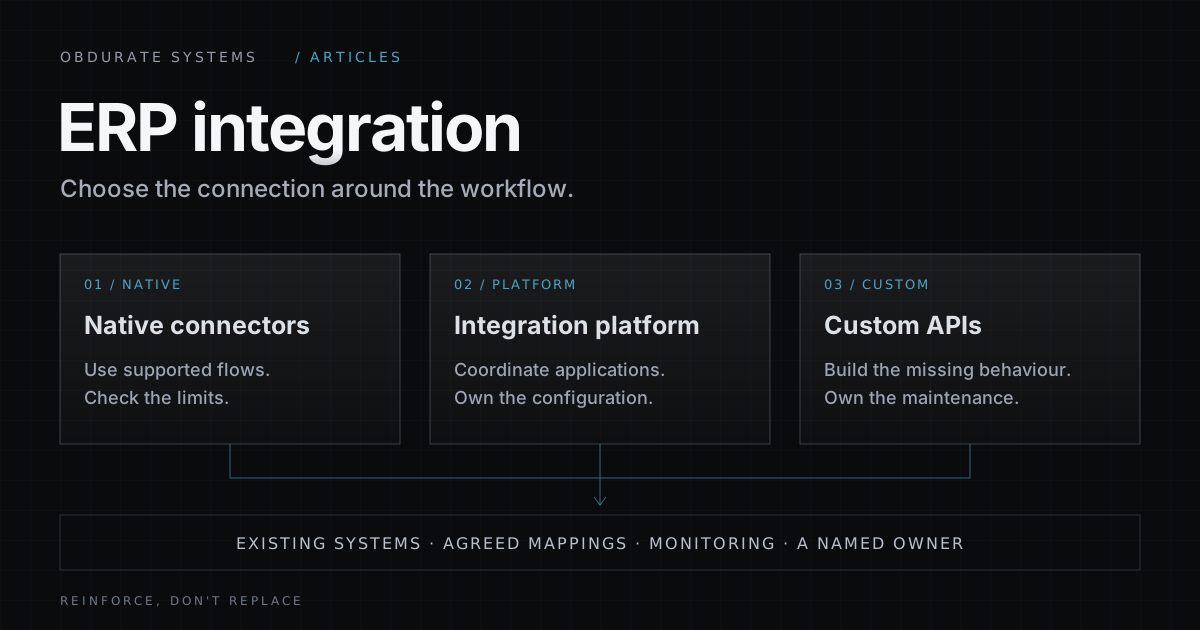
A native connector might already do the job. An integration platform or some custom code might be needed for the parts it cannot cover. Following one order through the process is a useful way to find out, before you commit to a bigger project.
A native connector is a ready-made connection for a particular application or pair of systems. Start by checking the version you use and the actions it supports. A connector that reads customers may not be able to create orders or update your custom fields.
Run a representative order through a test environment. Then change something: remove a product code, amend the quantity, or send the same order twice. Look at what the connector does and what your team would have to sort out afterwards. Also check how often it syncs; an overnight update may be fine for a report and too late for dispatch.
When the connector covers the process and makes failures easy to find, it is a sensible option. Include configuration and support in the comparison, even if the connection itself comes with the software.
Some jobs need several steps across different applications. An integration platform, often called iPaaS (integration platform as a service), gives you tools to connect those steps, transform data and inspect failed runs. Your team still needs to maintain the flows. Check usage limits and costs against the number of records you expect to move.
Custom API integration becomes worth considering when you can point to a specific gap. Perhaps the API supports an action that the connector does not expose, or an approval rule needs behaviour the platform cannot provide. That may call for a small component alongside the existing connection. It does not always require building everything again.
For legacy system integration, check what access is actually available. An older system might offer a supported file import rather than an API. A read-only export will not let you update orders. Direct database writes should only be considered when the vendor explicitly supports them; otherwise, you risk bypassing the rules the application applies.
Two systems can both have a field called “customer” and use different identifiers for the same company. Products have similar problems: one system might sell by the box while the other holds stock by the unit. Agree these mappings before switching on ERP automation.
In our order example, the connection would read the approved order, match the customer and product identifiers, check the quantities and units, and create a draft in the ERP. If a product cannot be matched, someone needs to review it. Guessing a code would only move the problem further along.
Decide where later corrections belong. If someone changes a delivery address in the ERP, should the sales system receive that update? Which version should win if both have changed? Keep the identifiers from both systems so people can find the same order on either side. Financial posting should still follow the agreed approval rules.
A timeout leaves an awkward question: did the ERP create the order, or did the request never reach it? Sending the request again without checking could create a second order.
Where the API supports it, use a stable request key so it can recognise a repeated attempt. This is one way to make the operation idempotent: repeating it does not create another order. If the destination has no such mechanism, work out how to confirm whether the order was saved before sending it again. Test duplicate handling when requests arrive at the same time, too.
A temporary connection failure may be worth retrying, with a delay and a limit on attempts. A missing product code needs a correction. Both should leave a visible record of what failed, so someone can fix the cause and safely resume the work.
Before launch, decide who will notice a delayed order and who can investigate it. The person who corrects a product code may not be the person who fixes an expired API credential. Give each a clear way to see the problem and pass it on when needed.
Keep access limited to the job. An integration that creates draft orders should not automatically get permission to approve payments. Protect its credentials, keep sensitive customer data out of logs where it is not needed, and agree who can replay failed requests. These arrangements matter whether you buy a connector or commission custom code.
Include ongoing support in the price comparison. Someone needs to review application upgrades, look after access and adjust the connection when the business changes. Ask who will do that work before choosing the cheapest implementation quote.
- 01Can we try a complete order, including a failed one?Use the same example for each option. Include missing data, an amended order and a repeated request.
- 02Which part needs something beyond the native connector?Ask for the missing action or business rule to be named. Check whether an integration platform can cover it.
- 03Can the existing systems support the connection?Confirm the available interfaces, permissions and limits before agreeing to a build.
- 04Who handles failures and future changes?Include recovery, monitoring and maintenance in the scope and cost, whichever approach you choose.
For the wider software decision, our build vs buy internal tooling guide looks at costs and responsibilities beyond the connection itself. If you want help working through an integration, our ERP integration services and API integration services pages explain what we assess before proposing a build.
For product examples and implementation details, see Microsoft’s documentation on workflow connectors, field mapping and synchronisation, retry design and least-privilege access.