What each system owns, how they connect and what to test before go-live
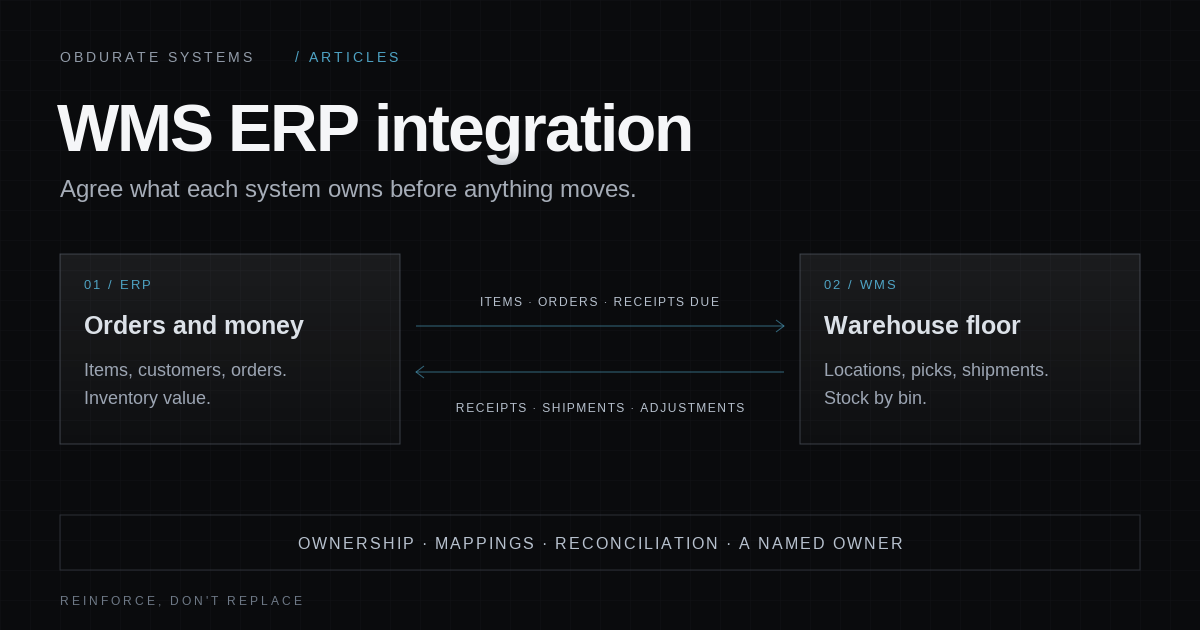
A WMS ERP integration connects the system that runs your warehouse floor with the system that runs your orders and finances. Done well, an order released in the ERP appears in the warehouse without re-keying, and the shipment confirmation comes back in time to invoice. Done badly, the two systems quietly disagree about stock until a count exposes it.
This guide follows one order through both systems. It covers which records move in each direction, who should own them, the main ways to connect a warehouse management system (WMS) to an ERP, and nine tests to run before go-live. The steps are the same whether you call it WMS integration with ERP or ERP WMS integration. The order in the example is illustrative: the products, quantities and times are made up.
The ERP is usually the commercial and financial record: customers, prices, sales and purchase orders, invoices and the value of your stock. The WMS runs the physical work: receiving, putaway, bin locations, picking, packing and shipping. Most integration problems start when both systems try to own the same thing.
Agree the system of record for each type of data before building anything. A common split: the ERP owns the item master, customers and orders; the WMS owns where stock sits and what was actually picked and shipped; the ERP owns the inventory value. Write the split down. It decides which way every update flows and which system wins when they disagree.
Most WMS and ERP integration work comes down to seven kinds of record. The list is short; the rules attached to each one are where the effort goes.
Scroll sideways to see all columns.
| Record and direction | What moves | What to agree |
|---|---|---|
| Item master: ERP to WMS | SKUs, units of measure, case sizes, dimensions, lot or serial tracking. | A new item has to reach the WMS before the first order that uses it. |
| Outbound orders: ERP to WMS | Sales and transfer orders released for picking, with ship-to address, requested date and carrier service. | Exactly when an order counts as released, and what happens to changes after that. |
| Expected receipts: ERP to WMS | Open purchase orders or advance ship notices. | The warehouse receives against them instead of creating stock from nothing. |
| Receipts: WMS to ERP | Quantities actually received, lot numbers and differences from the purchase order. | How differences reach the goods receipt and supplier invoice matching. |
| Shipment confirmations: WMS to ERP | What actually shipped, including partial quantities and tracking numbers. | Timing, because the confirmation is often the trigger for invoicing. |
| Stock adjustments: WMS to ERP | Cycle count corrections, damages and write-offs. | A reason code for each adjustment that the finance team accepts. |
| Returns: both ways | Return authorisations from the ERP; the received quantity and condition from the WMS. | Who decides whether returned stock can be sold again. |
In an ERP fulfillment integration, watch the shipment confirmation most closely. Customers are invoiced from it and stock leaves the books on it, so a late, partial or duplicated confirmation shows up directly in revenue and inventory.
Take an order for 40 units of a product the ERP sells by the unit and the warehouse stores in cases of 12. The ERP releases the order at 14:00. The integration creates an outbound order in the WMS and converts 40 units into three full cases and four loose units, or holds the line if the warehouse cannot split cases.
The picker finds only 36 units. The WMS ships 36 and records a short pick. The shipment confirmation tells the ERP that 36 left the building, with a tracking number. The ERP now needs a rule: invoice 36 and backorder 4, or hold the order for a decision. If that rule only lives in someone’s head, the integration will either guess or stop.
Now suppose the customer reduces the order to 30 at 14:20, after picking has started. Does the change reach the WMS? Can the warehouse still accept it? Who tells the customer if it cannot? These cases, more than the normal order, separate a working WMS integration from a demo.
Native connector. Many WMS products ship with connectors for common ERPs. Check which records they move, how often, and what happens on errors. A connector that syncs orders every 15 minutes may be fine for next-day dispatch and too slow for a same-day cut-off.
Integration platform. An integration platform (iPaaS) helps when several systems are involved, such as an ERP, a WMS, an online store and a carrier platform. Your team still owns the mappings and needs to watch for failed runs.
EDI. Common when a third-party logistics provider (3PL) runs the warehouse. X12 messages such as the 940 warehouse shipping order, the 945 warehouse shipping advice, the 943 and 944 stock transfer shipment and receipt advice, and the 846 inventory advice cover most of the flow. A 3PL WMS integration often runs through EDI, or through flat files over SFTP, rather than a modern API.
Custom API integration. Worth considering when you can name the gap: a rule the connector cannot express, a record it does not move, or recovery behaviour you need and cannot configure. A small custom component can sit alongside a connector rather than replace it. Our guide to native connectors versus custom APIs works through that decision with a sales order.
Even a good integration drifts. A message fails, someone adjusts stock directly in the ERP, or a return is received but never confirmed. Schedule a reconciliation: compare on-hand quantities per item between the two systems every day or week, and send differences above an agreed threshold to a named person.
Reason codes help here. A count adjustment marked “damaged” and one marked “found during count” mean different things for finance. Agree the list with the people who will read it, not only the people who enter it.
Make every update safe to repeat. If the WMS sends a shipment confirmation twice after a timeout, the ERP should recognise the second one and ignore it, not invoice twice. A stable shipment or message reference is the usual way to make the update idempotent: repeating it changes nothing.
Run these in a test environment with the people who handle orders, receiving and month-end. Agree the expected result first, then compare each option against the same records.
Scroll sideways to see all columns.
| Test case | Try this | What a safe result looks like |
|---|---|---|
| Normal order | Release one order with valid items, units and address. | One outbound order appears in the WMS with matching lines. The shipment confirmation returns with a tracking number and updates the ERP order once. |
| New item | Create an item in the ERP and order it within minutes. | The item reaches the WMS first, or the order waits visibly with the missing item named. It does not fail silently. |
| Unit conversion | Order a quantity that does not divide into full cases. | The conversion follows the agreed rule, or the line is held for review. Nothing is rounded without a record. |
| Short pick | Pick fewer units than ordered. | The ERP receives the shipped quantity and applies the agreed backorder or hold rule. The invoice matches what shipped. |
| Late change | Change or cancel the order after picking starts. | The WMS accepts the change, or rejects it with a message someone sees. Nobody ships the old version without knowing. |
| Receipt difference | Receive more or fewer units than the purchase order. | The ERP records the actual quantity and the difference goes to the agreed review. |
| Duplicate confirmation | Send the same shipment confirmation twice. | The ERP records one shipment and raises one invoice. |
| Stock adjustment | Post a cycle count correction with a reason code. | The adjustment reaches the ERP with its reason, and inventory value changes under the agreed rule. |
| Outage | Make the ERP unreachable for an hour, then restore it. | Messages wait and resume in order, without loss or duplicates. Someone can see what is waiting. |
For every test, note what actually happened, any manual step, and the reference that lets someone find the record in both systems. A documented manual step can be acceptable if it is workable on a busy day. A step nobody knows about is not.
- 01Which system owns each record?Items, orders, stock by location and stock value. If two systems claim the same record, settle that before choosing a tool.
- 02What triggers invoicing?If it is the shipment confirmation, ask how late, partial and duplicated confirmations are handled.
- 03What does the connector or the 3PL actually support?Ask for the list of messages or API actions, the sync frequency and the error handling, then test them with your own orders.
- 04Who watches the integration after launch?Name the person who sees a failed message and the person who fixes its cause. They are often different people.
If carrier updates are part of the same picture, our shipment tracking project brought email updates and API data into one view for following delivery progress. For help assessing a warehouse integration, our ERP integration services and API integration services pages explain what we check before proposing a build. For the wider decision, the build vs buy guide compares buying software with building around it.
X12 publishes the list of EDI transaction sets, including the 940, 945, 943, 944 and 846 warehouse messages. Microsoft’s Business Central documentation shows how one ERP models warehouse activities such as receipts, picks and shipments. For handling temporary failures, see the retry pattern.